Equipment management

Every asset, and what it is due for.

One record per asset: what it is, where it is, what it is due for, what has been done to it, and whether it is out on hire.

BaseLeap — Air Compressor 2 The BaseLeap CRM equipment manager, showing fleet totals and condition
How the work moves

The life of an asset.

01

Register

The asset, its category, its site, its purchase and its photos.

02

Schedule

Every maintenance regime it carries, each with its own interval.

03

Work

The service order raised against it, done and signed off.

04

History

Every service, report and certificate, on the asset rather than in a folder.

05

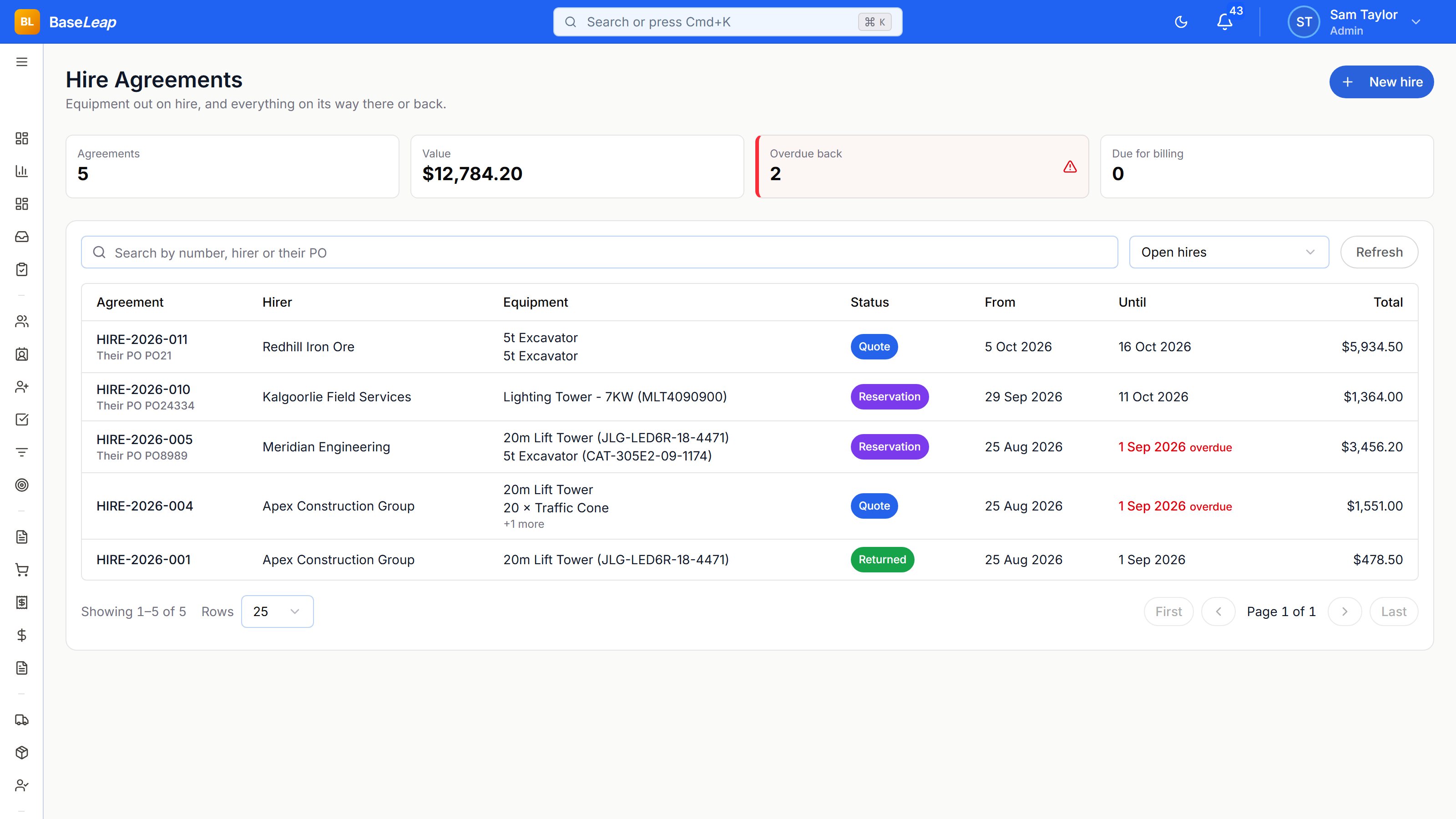
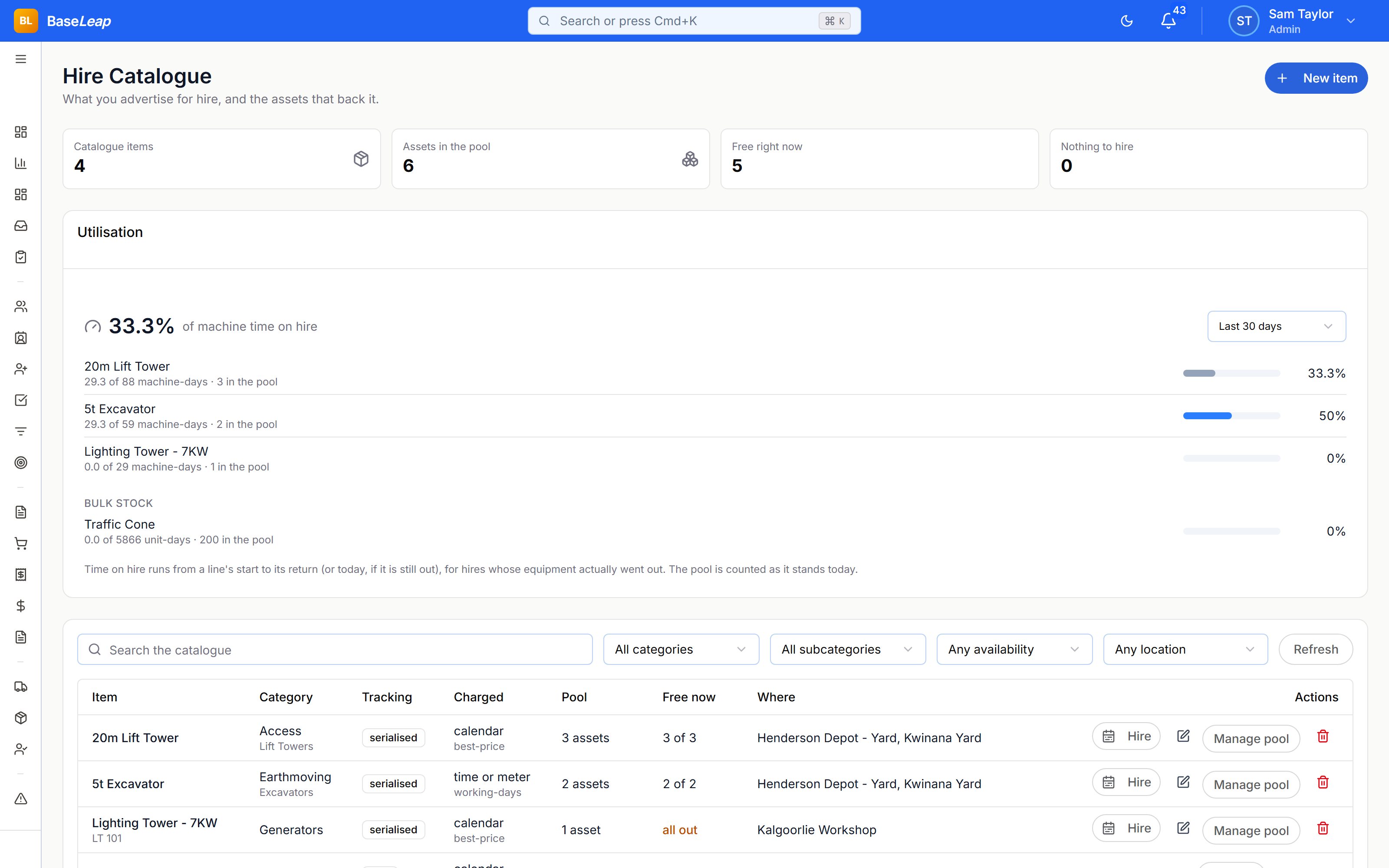
Hire

Out on an agreement, priced from a rate card, returned and re-rated.

06

Stock

The parts it consumed, received, counted and replenished.

What it covers

What it covers.

The asset register

Every asset on one record: category, location, purchase, photos, documents and custom fields, with one status vocabulary across the platform.

Maintenance schedules

An asset carries many regimes at once — mechanical service, fire suppression, electrical test — each with its own interval and owner.

Service history and certificates

Every order against the asset, its service reports, and compliance certificates that are configuration rather than code.

Hire and inventory

A hire register with rate cards, agreements and returns, and a stock ledger behind the parts the work consumes.

In the product

In detail.

Everything below is in the product today.

The register

The asset, and everything true about it in one place.

  • Equipment records with categories and locations
  • Photos, documents and attachments
  • Purchase information and ownership
  • One canonical status vocabulary
  • Custom fields and layouts without a deploy
  • On the customer’s site record as well as yours

Maintenance schedules

Not one service date — every regime the asset actually carries.

  • Many schedules on one asset, each its own regime
  • Intervals by date or by usage metric
  • Service streams, so the right team owns the right regime
  • Auto-scheduling into service orders
  • Next and last service rolled up onto the asset
  • A maintenance calendar across the fleet

Service history and certificates

What was done, by whom, and the certificate that proves it.

  • Every service order against the asset
  • Service reports with a drawn signature
  • Compliance certificates seeded as configuration, not built as code
  • Multiple reports and certificates per visit
  • Asset inspections
  • Full field-level change history

Hire and rental

The same asset register, hired out and billed for.

  • Rental catalogue, items and individual units
  • Rate cards, rounding rules and discount rules
  • Agreements with lines, charges and billing periods
  • Returns and re-rating
  • Bookings and availability against the asset
  • Delivery as a real cost on the hire

Inventory and parts

What is on the shelf, what is on order, and what the job used.

  • Stock ledger with locations and movements
  • Quantities measured in decimals, not whole units
  • Purchase orders, goods receipt and back orders
  • Short close, so a part-shipped order can still close
  • Reorder points and bulk replenishment by supplier
  • Shipments and fulfilment

Cases and compliance

When something goes wrong on an asset, it is a record, not an email.

  • Incidents raised against the asset
  • Investigations as their own object
  • Corrective actions as a tracked checklist
  • Cases with a dependent category and subcategory
  • Audit trail on every field that changed
  • Reporting across the fleet

Ready when you are.

Create an account, or sign in and pick up where you left off.